Field Service Management, Built for the Field
JPower gives dispatchers and drivers the tools they need to schedule jobs, track time, capture documentation, and close out tickets — all from their phone or desktop.
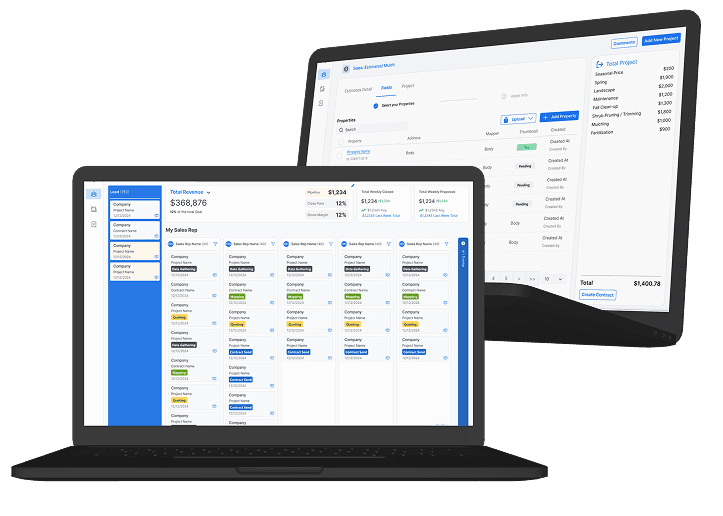
Everything your team needs
From the office to the job site, JPower keeps your operations running smoothly.
Smart Dispatch & Scheduling
Dispatch drivers, assign jobs, and track progress in real time — all from one screen.
Driver Time Tracking
Drivers clock in and out from their phone. GPS coordinates and timestamps are captured automatically.
Digital Paperwork
Capture signatures, photos, and receipts on-site. Every job is documented and stored instantly.
Ticket & Job Management
Track load and unload steps, material weights, fees, and billing type — hourly, per load, or per ton.
Live Map View
See where your team is and where jobs are on an interactive map, updated as work progresses.
Integrations
Connect with QuickBooks and export time sheets, tickets, and billing data without manual entry.

Up and running in minutes
Create your organization, invite your team, and start dispatching jobs the same day. No complicated setup, no IT department required.
- ✓Works on iOS, Android, and desktop
- ✓No hardware required
- ✓Role-based access for dispatchers and drivers
- ✓Real-time sync across all devices
JPower AI SMS Assistant
JPower includes an AI-powered SMS assistant. Field workers can text JPower to look up client records, retrieve pricing, and manage material data — without opening a browser or app.
Text a question, get an instant reply
Opt-in through your account settings — no unsolicited messages
Transactional only — no promotional or marketing messages
How to Opt In
- Log in to your JPower account and navigate to Settings.
- Check the SMS consent checkbox next to your registered phone number. The checkbox includes the full consent disclosure and links to the SMS Terms and Privacy Policy.
- A confirmation dialog appears displaying your phone number. Review the terms and click Confirm & Save to complete opt-in.
- You will receive a confirmation SMS acknowledging your opt-in.
To opt out at any time, reply STOP to any message or uncheck the SMS checkbox in Settings. Only users who complete the two-step confirmation will receive messages.
Message frequency: Varies based on your activity — one reply per message you send, up to 20 messages per month. No unsolicited messages are sent. Message and data rates may apply. Reply STOP to opt out at any time. Reply HELP for assistance or contact mike@jpower.ai or call (703) 656-6057. View our SMS Terms and SMS Privacy Policy.